
In this article
Must-have equipment for editing and proofreading
I spent the morning working in my garden, and it made me think of my Granddad and the small but immaculate garden he kept when I was growing up.
He was always proud of his space. My memory of it is hazy now, but I remember him occasionally handing me a pair of scissors to help him trim the edges of the lawn.
The idea of trimming the grass with scissors made me chuckle because we’re so used to having access to tools these days that make hard or mundane jobs easier!
I don’t yet have all the tools I could use to maintain my garden, but there are definitely things I wouldn’t be without for my job as an editor and proofreader.
Must-have equipment for editing and proofreading
A laptop and desk
For starters, I need a laptop and somewhere stable to put it! I know some people proofread and edit on a tablet (or even on a phone – don’t ask me how!), but I do my best work at my desk. I also think these items help maintain my posture and my eyesight – no craning my neck to look down at the screen and no squinting to read tiny text!
A second screen
I also find I do a much better job when I have a second screen connected to my laptop. Being able to extend my workspace as well as make what I’m working on larger is a game-changer. It also makes me more efficient because I can switch screens rather than having to minimise and maximise tabs all the time.
Must-have tools and resources for editing and proofreading
Dictionaries
You might have thought that editors don’t need to check things in a dictionary, but I do it every day!
Different writers use different varieties of English, so it’s always helpful to check for spelling variations in a dictionary. It’s also good to double check things like capitalisation and whether the word a writer has used is actually similar in meaning to what they intended but not quite the right choice.
Style guides
The same goes for style. Sometimes a writer will follow a style guide like APA Style or the Chicago Manual of Style (AKA CMoS), or they may have their own house style.
One of my jobs when copyediting and proofreading is to make sure the style used is consistent throughout, and that means referring to reference material when I need to. I have a great working knowledge of various styles, but I’m also human and acknowledge that it’s good to double check!
Microsoft Word
Another tool I love is Microsoft Word. This word processor has an excellent built-in tool called Track Changes which makes sharing feedback with clients and having them review my suggestions super simple.
Google Docs is a free alternative to Word that many writers and clients like to use. It has its own version of Track Changes, but I much prefer Word, and if you come to me as a client, I’ll always encourage you to work with me in Word.
Word also comes with a Read Aloud function, which I like using when I read through a text for the first time. It’s also a great way to alert you to any misspellings that your brain might skip over when you’re reading but you can pick up when listening because the spelling changes the pronunciation.
PerfectIt
An add-in to Microsoft Word, another of my favourites is a software called PerfectIt. This helps me check a document for consistency. I usually refer to it as a fancy spellchecker, but this really doesn’t do it justice as it does much more than check spelling – it highlights things like inconsistently capitalised headings, inconsistent position of punctuation, and missing definitions when abbreviations have been used.
If I’m working with a file in Word, I always run PerfectIt three times – once at the start of a job, once after my first editing or proofreading pass, and once again at the end when I’ve completed my final pass.
Finally, I couldn’t live without good old Google! If I’m hired to do some fact-checking, Google is fantastic. A manuscript I worked on recently included a large number of real names and dates. Thanks to research that started with a simple Google search, I was able to highlight to the author that a small handful of those names and dates weren’t accurate according to the sources I found.
Choosing an editor – ask about their tools!
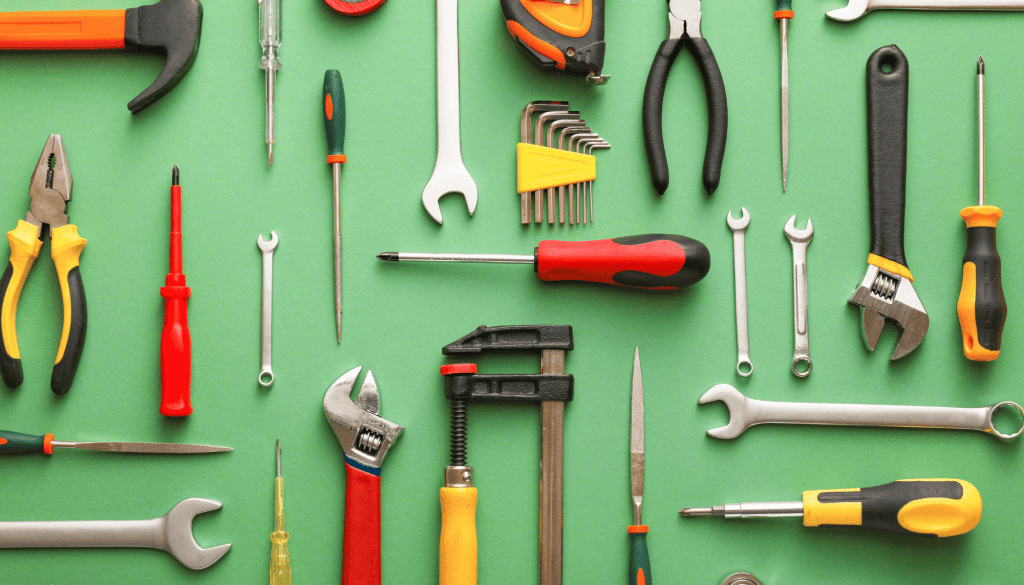
I do what I can to maintain my garden without help, but I outsource trimming the trees in front of my house to a gardener. He comes along with his power tools and gets the job done effectively and efficiently. If he turned up with a small pair of clippers one day, I’d probably look for a new gardener!
If you’re having a hard time choosing from the sea of editors and proofreaders out there – some of whom believe working with writers is a fast way to make some extra cash – one of the things you can ask potential candidates about is the equipment, tools and resources they use.
Apart from Google, none of the things I mentioned above are free – they’re all investments. Some are smaller investments than others, but they all indicate that your editor or proofreader is willing to spend money to ensure they do their best possible work for you.
—
Do you use any other tools to make writing, editing or proofreading easier and more efficient? I’d love to hear what they are in the comments!
All photos from Canva.
Thanks for visiting – see you next time!


 LJ Pond | Non-Fiction Editor & Proofreader
Leave a comment